How to Turn Any Idea Into a Printable 3D Model With AI
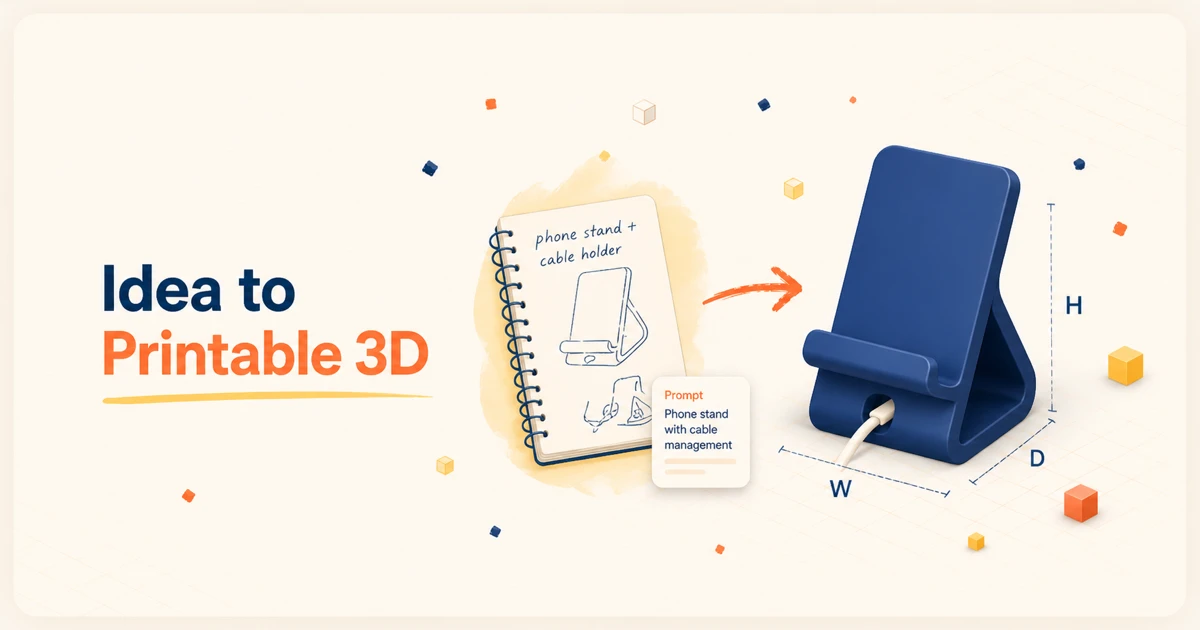
How to Turn Any Idea Into a Printable 3D Model With AI 3D printing has always had one big bottleneck: the model. You can have a printer ready, filament loaded, and a clear idea in your head. But turning that idea into a printable 3D file usually means opening CAD software, learning modeling tools, adjusting dimensions, fixing geometry, and exporting the right file format. For beginners, that first step can feel harder than the print itself. With Sparkoh AI, you can turn an idea into a printable 3D model by describing what you want, choosing a style, refining the details, and generating a model you can use for 3D printing. ## Why 3D Printing Still Feels Hard for Beginners Most people do not get stuck because they lack ideas. They get stuck because their idea needs to become a clean 3D model before the printer can do anything with it. Traditional CAD tools are powerful, but they are less useful when you just want to make a small desk tool, a simple holder, a custom organizer, a toy part, or a prototype. A beginner often has to learn several things at once: - How to sketch or model the object - How to set dimensions - How to make the shape printable - How to avoid thin walls or broken geometry - How to export a usable file - How to revise the design after seeing the first result That is a lot of friction between “I have an idea” and “I can print this.” ## Sparkoh AI: From Idea to Printable 3D Model Sparkoh AI is built around a simpler workflow: describe, generate, refine. Instead of starting from a blank CAD workspace, you start with the object you want to make. For example: > A small cable holder for my desk with three rounded slots and a flat base. Or: > A minimalist phone stand for 3D printing, with a wide base and a charging cable gap. Sparkoh AI takes that idea and helps turn it into a 3D model. You can choose a style, adjust details, and keep refining until the model matches what you had in mind. The key difference is that you do not need to know CAD before you start. You can begin with natural language, then move toward a printable result. ## A Simple Workflow for AI 3D Printing Here is what the workflow looks like: ### 1. Describe What You Want Start with the object, its use case, and any important constraints. A good prompt usually includes what the object is, what it should be used for, rough size or shape requirements, style preferences, and functional details. For example: > Create a compact toothbrush holder for two toothbrushes, with a drain hole and a flat base. You do not need a perfect technical prompt. You just need enough detail for the AI to understand the direction. ### 2. Choose the Style Different objects need different styles. A desk accessory might look better as a clean minimalist model. A toy or decorative item might need a softer or more playful shape. A functional part might need a simpler, stronger design. Choosing a style helps guide the final model so it fits the object purpose. ### 3. Adjust the Details The first version is rarely the final version. You may want the base to be wider, the corners to be rounder, the opening to be larger, or the design to be easier to print. This is where AI becomes especially helpful. Instead of rebuilding the model from scratch, you can refine it step by step. ### 4. Generate the Printable Model Once the model looks right, you can prepare it for your 3D printing workflow. This is where AI becomes especially helpful for makers, hobbyists, educators, and product designers. Instead of spending hours learning how to model a simple object from scratch, you can move from idea to usable model much faster. ## What Can You Make With an AI 3D Model Generator? Sparkoh is especially useful for quick, practical objects. Some examples: - Desk organizers - Cable holders - Phone stands - Hooks and mounts - Small containers - Replacement parts - Simple prototypes - Classroom models - Decorative objects - Personalized gifts The best use cases are objects where you know what you want, but do not want to spend hours building the first model manually. For advanced mechanical parts, you may still want detailed CAD review and precise engineering validation. But for idea exploration, early prototyping, and simple printable objects, AI can remove a lot of the blank-page friction. ## Tips for Better 3D Printing Prompts If you want better results, make your prompt specific. A strong prompt should describe the object, its function, shape, and constraints. Bad prompt: > Make a phone stand. Better prompt: > Make a sturdy phone stand for 3D printing. It should hold a phone vertically, have a 70-degree viewing angle, include a small cable cutout at the bottom, and use rounded edges. The more clearly you describe the function, shape, and constraints, the easier it is to generate something useful. ## Why This Matters AI does not replace creativity. It removes the slowest first step. For many people, 3D printing is exciting because it turns ideas into physical objects. But if the modeling process is too hard, many ideas never make it to the printer. Sparkoh AI helps shorten that path. You can start with a rough idea, turn it into a 3D model, adjust the design, and move toward a printable result without needing to become a CAD expert first. That makes 3D printing more accessible for beginners and faster for experienced makers who want to prototype more ideas in less time. ## Start With a Simple Idea If you are new to 3D printing, do not start with a complex mechanical assembly. Start with something small: a hook, holder, stand, tray, or simple organizer. Describe it clearly, generate the model, refine the details, and see what you can print. With Sparkoh AI, the first step is no longer “learn CAD.” The first step is simply: describe what you want to make. Try Sparkoh AI and turn your next idea into a printable 3D model.
Learn how Sparkoh.ai helps you turn simple text prompts into printable 3D models in seconds, without needing CAD skills.